Connect GitHub
Connect GitHub or GitLab so agents can work on your repositories and open pull requests.
A connection gives Pistis access to a code host. Sessions can then start on one of its repositories and end with a pull request or merge request. The sandbox gets a copy of the files, never a token.
Before you start
- You are signed in to Pistis as an administrator.
- For GitHub: a GitHub App you created, with these repository permissions:
| Permission | Why |
|---|---|
| Contents: read and write | Clone the repository and push the agent's branch |
| Pull requests: read and write | Open and update the pull request |
| Metadata: read | List the repositories the App can reach |
Install the App on the repositories agents may use. Pistis gets a fresh token for each use, limited to one repository, and the token expires by itself.
Connect GitHub
- Open
Source control→Add GitHub App. - Enter the App ID and paste the private key.
- Click
Save. The private key is encrypted and never shown again. - Check the connection's page: it counts the repositories the App reaches. An empty list means the App isn't installed on any repository.
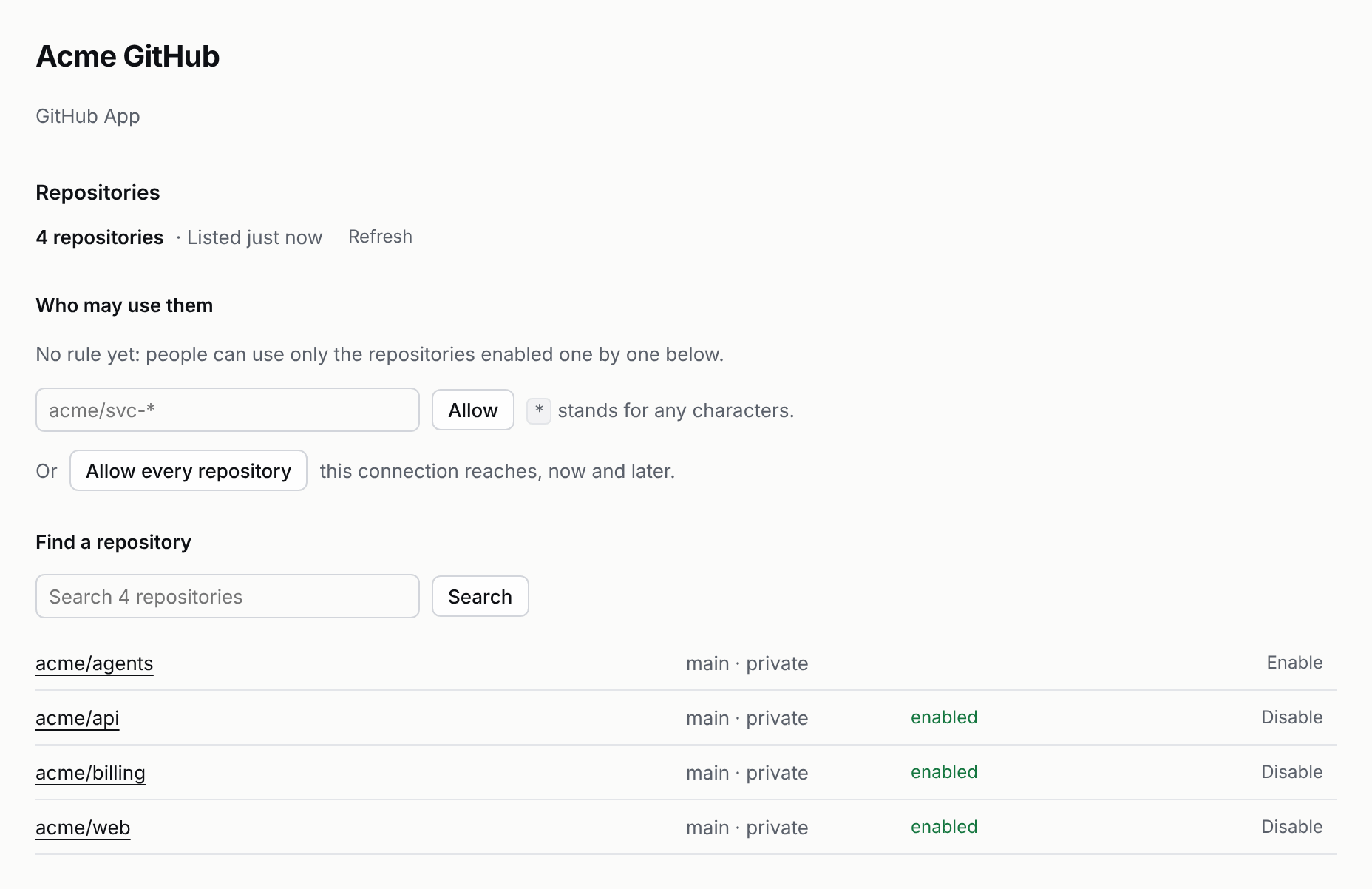
Choose who may use which repositories
People can start sessions only on repositories you allow. On the connection's page:
- Every repository on this connection. Click
Allow every repository. Use this when the App's installation already decides what agents may touch. - A pattern. Enter one such as
acme/svc-*and clickAllow.*stands for any characters. - One at a time. Search the list and click
Enableon a repository.
Removing a rule or disabling a repository applies to new sessions at once.
Thousands of repositories
Pistis keeps each connection's list of repositories and reads it again from the code host every six hours, or when you click Refresh list. A repository created since is found the first time someone names it. People search it rather than scroll it:
- In the start form, each repository picker lists the ones you used last;
Search all repositories…finds any other. - Over HTTP,
GET /repos?q=api(HTTP API). - Over MCP, the
find_repostool.
Results include only repositories the person may use, with an exact name first.
One change across several repositories
Some changes span repositories: an API and the apps that call it, a library and its users. Pick a repository in the start form, and another picker appears; pick up to ten. Over the API, name them comma-separated: "meta": { "repo": "github:acme/api,github:acme/web" }.
- Each repository is checked out under its own name, as
/workspace/<name>:/workspace/api,/workspace/web. Two repositories with the same name use their whole path instead, such as/workspace/acme-api. A session with one repository keeps it at/workspace/repo. publishopens a pull request in each repository the agent committed to, all on the session's branch, each naming the others. A repository it didn't change gets none.- Every repository must be one an administrator allowed; a session naming any other is refused.
For the same change in many repositories, each on its own, use a campaign instead.
Pull request feedback
Reviewers don't have to come to Pistis. Turn this on for an agent, and what people say on a pull request one of its sessions opened goes back to that session as a message, on the same branch and in the same sandbox. The agent changes the code and publishes again, and the pull request updates.
What comes back:
- A review comment on a line of the change.
- A review that requests changes. An approval doesn't.
- A comment that mentions
@pistis, such as@pistis add a test for the empty case. Other comments stay on the pull request. - A failing check. After three failing checks in a row with nobody saying anything, Pistis stops sending them and waits for a person.
Each one arrives as a message from the person who wrote it, as if they had typed it in the session, so the session's sharing decides: the owner and collaborators are heard, and anyone else is recorded in the Control center → Audit log and not acted on. Pistis knows who someone is on GitHub when they have signed in to Pistis with GitHub once. What Pistis itself writes on the pull request, and pushes to the branch, never come back. The session's timeline shows each one quietly: who, what, and a link to it on GitHub. The same delivery sent twice is one message.

To set it up:
- On the connection's page, under
Source control→your connection, copy the webhook URL:<publicUrl>/code-hosts/<connection>/events. - In your GitHub App's settings, turn on the webhook, paste that URL, and set a webhook secret. Subscribe to Pull request reviews, Pull request review comments, Issue comments and Check runs.
- Edit the connection in Pistis and enter the same webhook secret. Deliveries without the right signature are refused.
- Open the agent under
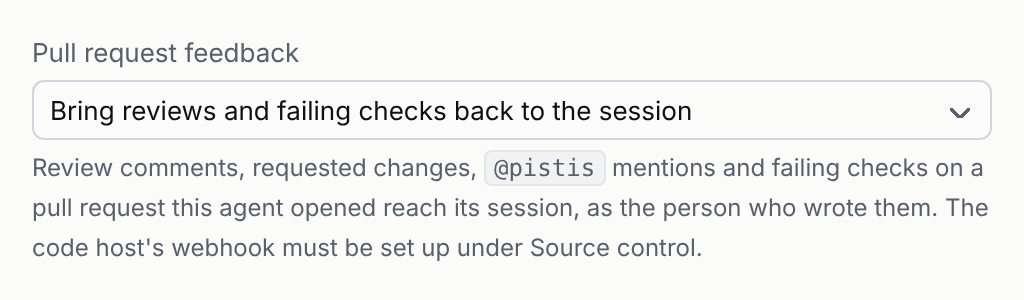
Agents→your agent, set Pull request feedback to Bring reviews and failing checks back to the session, and save. Turning it off stops it at once, for running sessions too.
Your server must be reachable.
GitHub delivers to your server's publicUrl, so it has to be reachable from the internet, or from your GitHub Enterprise server.
Other code hosts
- GitHub with a token.
Source control→Add GitHub (token). Use a fine-grained or personal access token. - GitLab.
Source control→Add GitLab (token). Use a project, group or personal access token. Set the instance URL for a self-managed GitLab. - Any git server.
Source control→Add Git over HTTPS. It can push branches but can't open pull requests. - Another code host. Install a plugin.
What happens to your code
- When a session starts on a repository, your Pistis server clones it and copies the files into the sandbox. The copy has no token in it, so
git pushfrom the sandbox fails. - The agent commits its changes and calls the
publishtool. - Your Pistis server pushes the branch
pistis/<session>and opens a pull request or merge request. The request names the person who asked for the work. - If the agent publishes again, Pistis updates the same branch and the same pull request.
Review before it opens.
Add publish to an agent's approvals, and every publish waits for you. See Approvals.