Agents
Set up shared agents with a model, instructions, skills, tools and approvals.
An agent is a shared recipe: a model, instructions, skills, MCP servers and approvals. Admins create agents, and everyone picks one when they start a session.
The default agent
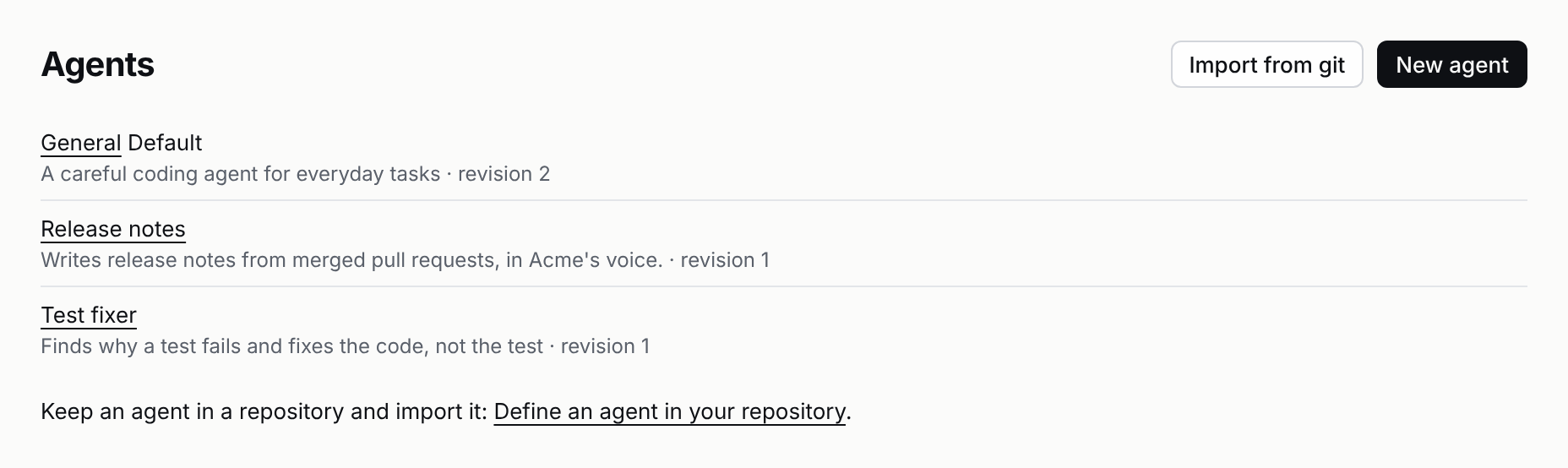
A new server comes with one agent, General, marked Default on the Agents page. Sessions that name no agent run on it, from the web app, Slack, the CLI, the HTTP API or MCP. Its instructions ask for small, tested changes, a clear commit and a pull request that says what changed and why, and a question when a step could lose someone's work. No tool waits for approval until you add one.
Edit it like any agent. To stop using it, open it and click Remove: sessions that name no agent then run on the server's own settings, and it doesn't come back on a restart. Sessions that already ran on it keep it.
Create an agent
- Open
Agents→New agent. - Fill in the fields below. Only the name is required. Skills come with an agent you import from git.
- Click
Save revision.
| Field | What it does |
|---|---|
| Description | One line people see when they pick an agent. |
| Model | provider/model-id. Leave it empty to use the server's model; people can still switch. |
| Instructions | Added to every session's system prompt, after the server's own. |
| Tools that wait for approval | One tool per line; each call waits for a person. See Approvals. |
| Browser | Where the sandbox has one, required, or off. See A browser in the sandbox. |
| MCP servers | Extra tools. See MCP servers. |
| Pull request feedback | Review comments, requested changes, @pistis mentions and failing checks on a pull request this agent opened come back to its session. See Connect GitHub. |
Edits never change a running session
Every save makes a new revision. A session keeps the revision it started on. The next session gets the new one. The session page shows which revision it runs. Pull request feedback is the exception: turning it on or off applies to the agent's running sessions at once.
Import an agent from git
Keep an agent in a repository, review its changes like code, and import it: Agents → Import from git, paste the repository's address, click Import. The format, every field and examples are in Define an agent in your repository.
Pick an agent over HTTP
Set meta.agent to the agent's name when you create a session. Add meta.agent_revision to pin a revision.